Live Launcher
- 4.1
- Rating
- 1.00M
- Installs
- Free
- Price

 Analysis by App-foxy
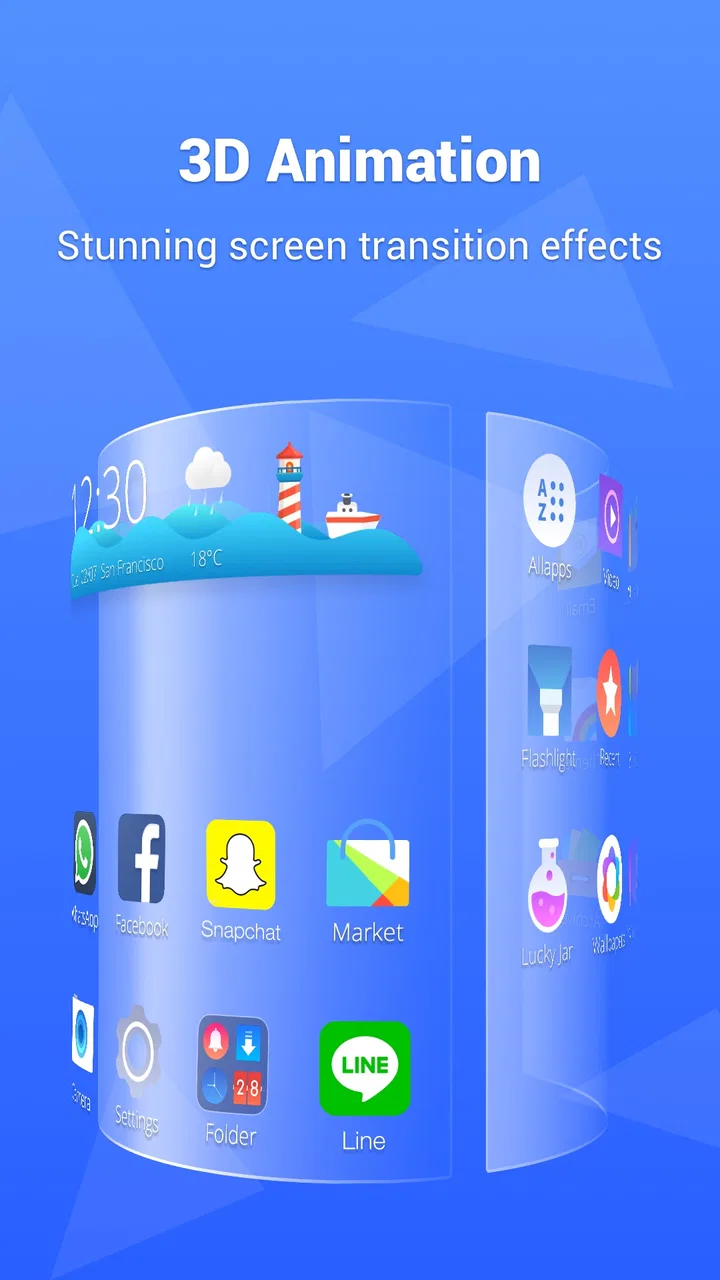
Live Launcher is the kind of personalization app I would suggest to someone who wants their Android phone to feel less ordinary without replacing every familiar habit. Its purpose is straightforward: it gives the home screen a different look and a more personal starting point for everyday tasks. After spending time with it, I see the appeal in the balance between a visible change and a relatively simple workflow. You can make the phone feel more like yours while still relying on the normal Android idea of opening apps from a launcher.
That simplicity is important. A launcher can easily become a project instead of a useful tool, especially when every icon, panel, gesture, and arrangement demands attention. Live Launcher, developed by LiveLauncher, is better suited to people who want customization they can actually live with. It belongs to the personalization category, is free to use, and is rated for Everyone, so it is approachable for a broad range of Android users. The current version is 5.23.3, and it runs on Android 7.0 or later.
How I built a comfortable daily setup
My first recommendation is not to redesign everything immediately. I began with the same question I use for any launcher: what do I reach for most often, and what currently takes too many taps? The home screen should answer that question before it tries to impress anyone. I kept the most-used apps close to my thumb, left less important shortcuts out of the primary view, and treated the visual changes as a way to support that arrangement rather than distract from it.
You May Also Like

 Blood Strike: 2.5 Anniversary
Blood Strike’s Loadouts Turn Every Drop Into a Tactical Gamble
A close look at Blood Strike’s custom loadouts: how fast access to signature weapons reshapes its battle royale rhythm, rewards preparation, and narrows the gap between fights.

 Pandora - Music & Podcasts
Pandora’s Music Is Easy to Start, but Harder to Recover
Pandora’s strength is its low-effort path from a seed to a station. Its weak spot is how much confidence it asks you to place in connection, setup, and quiet recovery.

 8 Ball Pool
 Is Built on Rivalries, Rematches, and Routine
A close look at the rivalries, rematches, shared routines, and unanswered safety questions that turn a quick pool match into a persistent mobile community.

 Samsung Music
’s Quiet Strength Is Playing What You Already Own
Its reach comes less from spectacle than from dependable access to a personal library. That simplicity is both the app’s strongest retention engine and its ceiling.

 AccuWeather: Weather Radar
AccuWeather Review: A Quick, Clear Forecast for Everyday Decisions
For everyday plans, the best forecast is the one you can understand quickly. AccuWeather makes rain timing, radar, and local conditions easy to act on, with a few trade-offs.

 Hill Climb Racing
Why Hill Climb Racing Still Turns Crashes Into One More Run
A tiny car, a bumpy hill and one more upgrade: Hill Climb Racing keeps resurfacing because its simple chaos makes every near-miss feel personal.
More From Our News Desk



This baseline workflow makes Live Launcher more useful than a simple cosmetic layer. A personalized home screen can reduce the small moments of hesitation that happen when you search through several pages for an app you open every day. Messaging, maps, the camera, music, banking, and work tools do not need equal space. I found that giving priority to the apps connected to my actual routine made the launcher feel faster, even when the underlying actions were familiar Android actions.
The practical benefit is clearest in a normal morning. I can place the apps I use before leaving home in one predictable area, keep occasional tools away from the main view, and avoid turning the screen into a wall of icons. Later, when I need a less frequent app, I use the regular app-list workflow instead of disturbing the main arrangement. That separation between daily essentials and everything else is one of the easiest ways to keep a customized launcher from becoming cluttered.
I also recommend changing one visual element at a time. If you alter the background, icon arrangement, widgets, and shortcuts together, it becomes difficult to tell which choice actually improved the experience. With Live Launcher, a gradual approach helps you decide whether you prefer a calm layout or a more expressive one. It also makes it easier to undo a decision without feeling that the whole setup has to be rebuilt.
The app’s store summary, “Make Your Phone Unique,” describes the main attraction in a few words, but uniqueness is not automatically the same as usefulness. A home screen covered with unusual choices may look personal while slowing down basic tasks. My better result came from using the launcher as a visual frame around a repeatable routine. Once the important apps had stable positions, I could experiment with appearance without losing orientation.
The settings I would check before decorating
Before spending time on the look, I would inspect the launcher’s available settings and learn how it handles the home screen, app access, and customization choices. The important principle is to understand what changes the layout and what changes the way you launch apps. That distinction matters because a visual adjustment is easy to reverse, while a new navigation habit may affect every interaction throughout the day.
I pay particular attention to whether the home screen feels readable at a glance. Personalization is not only about colors or images; spacing, icon placement, and the amount of information competing for attention all affect comfort. If a setting makes the screen attractive but forces me to search for basic apps, I consider it a poor trade. A launcher should reduce friction, not create a second task every time I unlock the phone.
Another useful check is how the layout behaves when I add or remove an app. I prefer to leave enough breathing room that installing something new does not immediately make the main screen feel chaotic. Live Launcher works best for me when I treat the first screen as a curated area rather than a storage bin. Less-used apps can remain available without earning a permanent place beside the tools I open repeatedly.
I would also test the launcher with the phone held in the hand I normally use. A layout that looks balanced while the device is lying on a desk may feel awkward when I am walking, carrying a bag, or using the phone one-handed. This is a small but meaningful distinction. The best arrangement is not the one that looks most symmetrical; it is the one that lets me reach the important choices without stretching or looking down for too long.
For users who share a phone with family members or help someone less comfortable with Android, simplicity becomes even more important. A dramatic redesign may be confusing if another person expects familiar locations. In that situation, I would make the changes modest: keep essential apps visible, avoid unnecessary rearrangement, and introduce new visual choices only after the basic workflow feels natural. The Everyone content rating makes the app broadly approachable, but ease of use still depends on how aggressively the screen is customized.
Shortcuts and habits that make the difference
The strongest improvement I found came from treating the launcher as a set of repeatable starting points rather than a gallery of decoration. I grouped my thinking by activity: communication, travel, entertainment, and practical tasks. Even without adding complexity, this mental grouping made it easier to decide what belongs on the main screen and what should stay out of sight until needed.
A useful pattern is to reserve the most reachable area for actions that happen several times a day, not necessarily for the apps that look best there. For example, an app I use briefly but constantly deserves more attention than an app I open once a week. This sounds obvious, but personalization tools encourage visual decisions first. I had a better experience when frequency and urgency guided the layout.
I also found value in keeping a stable “home base.” When I tested different arrangements, I changed secondary positions while leaving the primary group intact. That let me explore the app’s personalization without losing muscle memory. If you enjoy redesigning your phone often, this approach prevents every experiment from becoming a complete reset of your daily habits.
Another practical tip is to create a short settling-in period after a major change. For a day or two, I noticed which icons I reached for automatically and which ones I kept searching for. That revealed problems that were invisible during the initial setup. A beautiful arrangement can still be wrong if it conflicts with the way you actually hold and use the phone. Live Launcher rewards this kind of observation because its value comes from the relationship between the layout and your routine.
There is also a useful trade-off between a clean screen and immediate access. Removing too many visible choices makes the home screen peaceful, but it can push frequent actions into extra steps. Leaving everything visible saves searching but weakens the sense of order. I settled on a middle ground: a focused first screen and a broader secondary place for apps that matter, but not every day. That structure is more sustainable than trying to make one screen serve every purpose.
Where customization stops being an advantage
Live Launcher is not automatically the right choice for every Android owner. If you are already satisfied with the phone’s default launcher and rarely think about the home screen, installing a separate personalization app may add little. The default option often has the advantage of familiarity and deep integration with the device maker’s design. In that case, the benefit of Live Launcher has to come from wanting a more individual layout or a different visual experience.
I would also be cautious if you dislike adjusting settings. A launcher changes a central part of the phone, so even a small preference can affect how the device feels every time you unlock it. Users who want a completely hands-off experience may prefer to stay with the standard launcher. Live Launcher is more rewarding when you are willing to make a few decisions and then refine them through use.
There is a broader limitation with all launcher-based personalization: it cannot change the quality of the apps being launched. A better home screen will not make a slow banking app faster, improve a weak camera, or fix an awkward messaging service. It can make access more organized, but its influence ends at the starting point. I think that boundary is worth remembering before expecting a launcher to transform the whole phone.
Another trade-off is consistency. Android devices can differ in how they handle navigation, gestures, icons, and system-level behavior. A launcher may give the phone a more coherent personal style, but the rest of the interface still belongs to Android and the device manufacturer. If you want every screen and system panel to share one design language, a launcher alone may not satisfy you. It changes the front door, not the entire building.
Performance expectations should also be realistic. A launcher is always present at the center of the home-screen experience, so any extra visual activity or customization can feel more noticeable than a rarely opened app. On an older phone, I would begin with a restrained layout and avoid making the screen unnecessarily busy. The minimum requirement of Android 7.0 makes Live Launcher accessible to older devices, but compatibility does not guarantee that every device will feel equally smooth under every personal setup.
Who will get the most from Live Launcher?
I think Live Launcher is a good match for someone who has grown tired of a plain or repetitive home screen but does not want to learn an entirely different phone. It also suits users who enjoy organizing their apps around routines rather than accepting the manufacturer’s default arrangement. Students, busy commuters, and people who use separate groups of apps for work and personal life can benefit from a clearer starting point.
It is especially useful for someone who wants a free way to experiment. There is no purchase price standing between curiosity and trying a different home-screen style. That makes it easier to test a new arrangement, keep what works, and return to a simpler setup if the change does not improve daily use. The app has passed one million installs, with an average rating of 4.1 from around 4.2 thousand ratings, which suggests a substantial audience has found the concept worthwhile while leaving room for individual preferences to differ.
I would skip it if your priority is a highly specialized productivity system with extensive automation, deep device controls, or a full replacement for every part of the Android interface. Live Launcher’s strength is the personal starting screen, not an all-purpose power-user environment. Someone who wants advanced automation may be better served by a dedicated automation tool alongside, or instead of, a launcher.
It is also not ideal for people who change phones frequently and want their setup to transfer perfectly without any adjustment. A carefully arranged home screen can depend on the device’s display, installed apps, and Android behavior. If your routine changes often, a simpler arrangement may be easier to maintain than a highly tuned one. I would keep the structure understandable enough that rebuilding it does not become a chore.
My verdict after using it as a daily starting point
Live Launcher is most convincing when personalization supports a habit. Its value is not just that the phone can look different; it is that the first screen can reflect how I actually use the device. A focused layout, sensible placement, and a little patience during setup can make ordinary actions feel more deliberate. The results are strongest when I resist the temptation to customize every available space.
The app is free, aimed at Everyone, and maintained by LiveLauncher, making it an accessible option for Android users who want to try a different home-screen experience. Its release on September 20, 2022, and its current version show that it is an established app rather than a one-off visual experiment. I would still judge it by personal comfort rather than by its popularity, because a launcher succeeds only when its choices become natural during real use.
My final advice is to start with a practical baseline, check the settings that affect navigation and layout, then make changes in small steps. Keep the apps you use constantly within easy reach, leave less frequent tools available without crowding the main view, and give each new arrangement enough time to prove itself. If you want a phone that feels more personal while remaining recognizably Android, Live Launcher is worth trying. If you want deep automation or a complete system redesign, I would look elsewhere.
FAQs for Live Launcher
01What is Live Launcher and how does it enhance my smartphone experience?
Live Launcher is an innovative app that transforms your smartphone's interface with dynamic themes, interactive widgets, and customizable features. It enhances user experience by offering a sleek, intuitive design that simplifies navigation and personalizes your device, making everyday tasks more efficient and enjoyable.
02Does Live Launcher significantly impact battery life?
Live Launcher is designed to be energy-efficient, but like all launchers with dynamic features, it may slightly impact battery life. However, users can optimize settings to minimize energy consumption by adjusting animations and disabling unnecessary widgets to ensure a balance between functionality and battery efficiency.
03Is Live Launcher compatible with all Android devices?
Live Launcher is compatible with most Android devices running version 5.0 and above. However, performance may vary depending on the device's specifications. It's advisable to check the app's compatibility with your specific device model and OS version to ensure optimal functionality and performance.
04Are there any in-app purchases or subscriptions required in Live Launcher?
Live Launcher offers both free and premium features. While the basic version provides a variety of themes and widgets, some advanced customization options and exclusive content may require in-app purchases or a subscription. Users can choose to upgrade for a more comprehensive experience.
05How user-friendly is Live Launcher for individuals new to customization apps?
Live Launcher is designed with user-friendliness in mind, featuring an intuitive interface that makes customization easy even for beginners. The app includes tutorials and guides to help users navigate features effortlessly, ensuring a seamless transition for those new to personalization apps.
Pros
- Smooth and intuitive interface.
- Highly customizable themes.
- Minimal impact on battery life.
- Fast app launch times.
- Supports a variety of widgets.
Cons
- Contains occasional pop-up ads.
- Limited free theme options.
- Some features require in-app purchases.
- Can drain older devices' performance.
- No offline mode available.

Live Launcher
Gallery